
Introduction
Modern work is no longer limited to a traditional office. Freelancers may work from home, businesses may visit customers at different locations, and service providers may spend most of their working day outside a desk. A mobile invoicing app can make billing easier by allowing users to prepare and manage invoices directly from a smartphone.
Traditional invoicing methods often involve spreadsheets, word-processing documents, calculators, and folders. These methods can work for a small number of invoices, but they may become difficult to manage as a business grows.
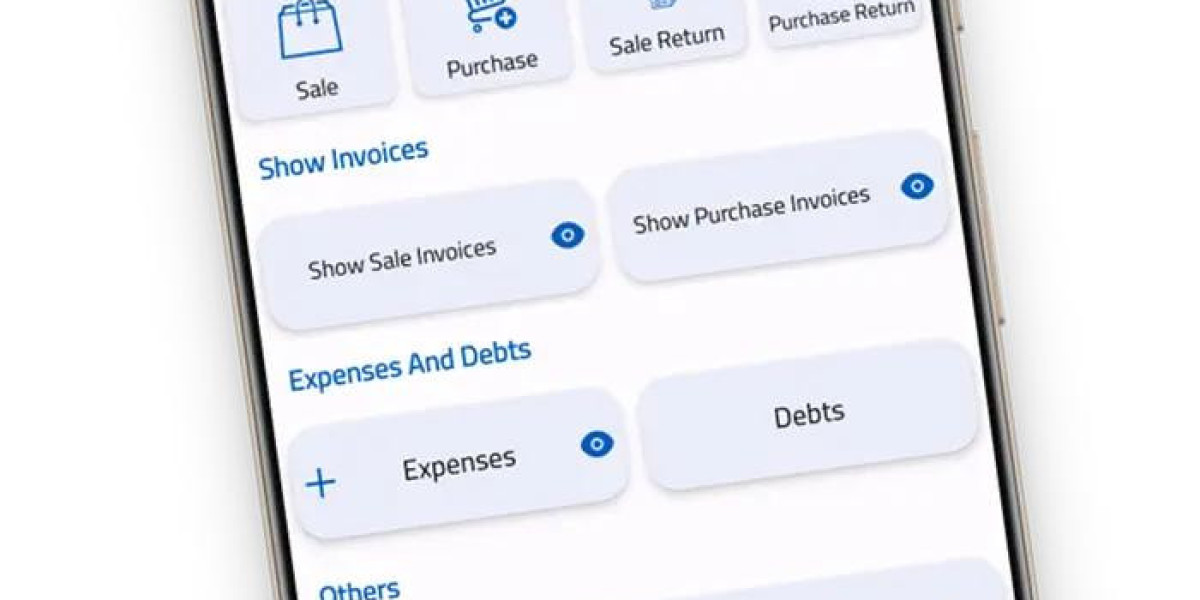
Invoice Spark provides a simple approach to digital invoicing. Instead of waiting until you reach a computer to prepare a bill, you can use a mobile-friendly workflow to organize customer information, add products or services, calculate totals, and prepare professional invoices.
The goal of mobile invoicing is not simply to make billing faster. It is also about making the entire billing process more convenient, organized, and consistent.
What Is a Mobile Invoicing App?
A mobile invoicing app is software designed to help users manage billing tasks through a mobile device.
Depending on the features available, users may be able to:
- Add customer information
- Create invoices
- Add products or services
- Enter prices
- Calculate totals
- Add discounts
- Add taxes where applicable
- Set invoice numbers
- Review previous invoices
- Share invoices digitally
- Maintain billing records
Instead of creating every invoice manually, users can follow a repeatable digital process.
This can be especially useful for professionals who spend much of their working day away from a computer.
9 Powerful Benefits of a Mobile Invoicing App
1. Create Invoices From Almost Anywhere
One of the biggest advantages of mobile invoicing is flexibility.
Imagine a contractor finishing a job at a customer's location. Instead of waiting until the evening to prepare an invoice, the contractor can start the billing process while still working away from the office.
Similarly, a freelancer can finish a project while working from a café and prepare the invoice from a smartphone.
This makes billing fit naturally into a mobile work environment.
2. Save Valuable Time
Creating invoices manually can require many repetitive steps.
A traditional process may involve:
- Opening a document.
- Finding a template.
- Entering customer details.
- Adding products or services.
- Calculating totals.
- Formatting the invoice.
- Saving the file.
- Attaching it to an email.
A mobile invoicing workflow can simplify many of these steps.
A typical process can be:
Select customer → Add service → Enter price → Review → Create invoice
When customer details and common services are already organized, repeat invoices can be prepared more efficiently.
The time saved can be used for customer service, project work, marketing, or business growth.
3. Create Invoice on Phone Without a Computer
The ability to create invoice on phone is particularly useful for professionals who do not work from a fixed office.
A smartphone can be used for many everyday business tasks, including:
- Communication
- Scheduling
- Payments
- Project management
- Customer support
- Document sharing
- Invoicing
Mobile invoicing adds billing to this list.
A basic invoice created on a phone can include all the essential information required for a professional billing document.
For example:
Business: ABC Web Design
Customer: Green Marketing Ltd.
Service: Website maintenance
Amount: $250
Due Date: August 30
The exact invoice information will depend on the business and customer agreement.
4. Reduce Paperwork
Paper invoices can create unnecessary administrative work.
Businesses may need to:
- Print documents
- Store physical copies
- Organize folders
- Find old invoices
- Make duplicate copies
- Manually update records
Digital invoicing can reduce the need for paper-based billing.
A mobile invoicing app can help users prepare invoices digitally and maintain their records in an organized way.
This can be especially useful for freelancers and small businesses that want to keep their administration simple.
5. Keep Customer Information Organized
Managing customer information is an important part of billing.
A business may work with:
- New customers
- Regular customers
- Long-term clients
- Occasional customers
- Business clients
Entering the same information repeatedly can waste time.
A digital invoicing system can help organize information such as:
- Customer name
- Company name
- Phone number
- Address
- Previous invoice details
When a repeat customer needs another invoice, having their information already organized can make the process easier.
6. Create More Professional Invoices
A professional invoice should make the billing information easy to understand.
A good invoice can include:
Business Information
- Business name
- Contact information
- Address
- Logo, if appropriate
Customer Information
- Customer name
- Company name
- Billing details
Invoice Details
- Invoice number
- Invoice date
- Due date
Charges
- Product or service
- Quantity
- Rate
- Subtotal
- Tax
- Discount
- Total
A clean structure can make the invoice easier for the customer to review.
Professional invoicing is not about adding unnecessary decoration. It is about presenting important information clearly.
7. Reduce Manual Calculation Errors
Billing mistakes can cause unnecessary confusion.
For example, a business owner may accidentally enter the wrong quantity or calculate a total incorrectly.
Consider this example:
| Service | Quantity | Rate | Total |
|---|---|---|---|
| Graphic design | 2 | $75 | $150 |
| Consultation | 1 | $50 | $50 |
| Subtotal | $200 |
If taxes or discounts apply, they should be shown clearly.
A billing application with calculation features can reduce some manual arithmetic.
However, users should still review the invoice before sending it.
The best approach is:
Automate the calculations, then verify the results.
8. Support Freelancers and Independent Professionals
Freelancers often handle every part of their business themselves.
They may be responsible for:
- Finding clients
- Marketing
- Project work
- Scheduling
- Communication
- Billing
- Record keeping
Invoicing software for freelancers can reduce the amount of manual work involved in client billing.
Freelance Writers
Writers can invoice for:
- Articles
- Blog posts
- Copywriting
- Editing
- Content packages
Graphic Designers
Designers can invoice for:
- Logo design
- Branding
- Marketing graphics
- Website designs
Developers
Developers can invoice for:
- Website development
- App development
- Maintenance
- Programming services
Photographers
Photographers can bill for:
- Events
- Portrait sessions
- Product photography
- Editing
Consultants
Consultants can invoice for:
- Meetings
- Research
- Reports
- Strategy sessions
For these professionals, mobile billing can make it easier to manage administrative work while focusing on client projects.
9. Consider an Invoice App No Subscription
Software costs are an important consideration for freelancers and small businesses.
Many businesses use several digital tools, and recurring subscriptions can increase monthly operating expenses.
An invoice app no subscription may appeal to users who prefer an invoicing option without a recurring subscription for relevant features.
However, pricing models differ between applications.
Before selecting an invoicing tool, review:
- Current pricing
- Available features
- Usage limits
- Invoice storage
- Customer management
- Export options
- Mobile support
- Terms and conditions
The right choice depends on the needs and budget of each business.
What Should a Mobile Invoice Include?
A mobile invoice should contain the information needed for the customer to understand the charge.
1. Business Details
Include your business name and contact information.
2. Customer Details
Clearly identify the person or company being billed.
3. Invoice Number
Use a unique number for each invoice.
4. Invoice Date
Show when the invoice was created.
5. Product or Service Description
Explain what the customer is paying for.
6. Pricing
Include quantity, rate, and applicable charges.
7. Taxes and Discounts
List them separately when required.
8. Final Total
Make the amount due easy to identify.
9. Payment Terms
Include the due date and payment instructions where appropriate.
How Invoice Spark Can Help With Mobile Billing
Invoice Spark provides a straightforward approach to digital invoicing for freelancers and small businesses.
A mobile billing workflow can help users:
- Create invoices
- Organize customer information
- Add services
- Enter prices
- Review invoice details
- Maintain billing records
- Reduce repetitive data entry
The purpose is to make billing a simple part of daily business operations.
For professionals who work away from a traditional office, mobile access can make invoice management more convenient.
Mobile Invoicing for Different Businesses
Service Businesses
Cleaning, repair, maintenance, and other service businesses can prepare invoices after completing customer work.
Freelancers
Independent professionals can bill clients for completed projects or hours worked.
Contractors
Contractors can list labor, materials, and project charges.
Consultants
Consultants can invoice for meetings, reports, research, and professional services.
Creative Professionals
Designers, photographers, writers, and video editors can use mobile invoicing to bill clients while managing projects from different locations.
Common Mobile Invoicing Mistakes
Sending an Invoice Without Checking It
Always review the final information.
Using Incorrect Customer Details
Verify the recipient's name and email.
Forgetting the Due Date
Clearly state when payment is expected.
Using Unclear Service Descriptions
Explain what each charge represents.
Entering the Wrong Price
Double-check rates and quantities.
Creating Duplicate Invoice Numbers
Use a consistent numbering system.
Forgetting Taxes or Discounts
Review the invoice calculation before sending.
Tips for Better Mobile Invoicing
Keep Customer Information Updated
Accurate customer information makes repeat billing easier.
Use Clear Descriptions
Tell customers exactly what they are paying for.
Keep Invoice Numbers Consistent
Use a logical sequence such as INV-001, INV-002, and INV-003.
Review Every Invoice
Mobile billing can be fast without being careless.
Keep Digital Records
Maintain organized copies of previous invoices.
Use a Consistent Format
A consistent invoice structure creates a more professional experience.
Choose Useful Features
Select an invoicing tool based on the features your business actually needs.
Frequently Asked Questions
What is a mobile invoicing app?
A mobile invoicing app is a digital tool that allows freelancers and businesses to create, manage, organize, and share invoices using a smartphone or other mobile device.
Can I create an invoice on my phone?
Yes. A suitable mobile invoicing tool can allow you to add customer information, services, prices, totals, and payment details before creating the invoice.
Is mobile invoicing useful for freelancers?
Yes. Freelancers can use mobile invoicing to bill clients for writing, design, development, photography, consulting, and other services.
What is an invoice app no subscription?
It generally refers to an invoicing application that does not require a recurring subscription for relevant features. Pricing and terms vary by provider.
What is invoicing software for freelancers?
It is software designed to help independent professionals create and manage invoices, organize client information, and maintain billing records.
What information should be on a mobile invoice?
A mobile invoice should generally include business details, customer information, invoice number, date, product or service details, prices, total amount, due date, and payment instructions where applicable.
Can mobile invoicing save time?
Yes. Digital customer records, templates, and calculations can reduce repetitive billing tasks and make invoice preparation more efficient.
Can a mobile invoice look professional?
Yes. A properly structured digital invoice can present business, customer, service, pricing, and payment information in a clear professional format.
Can small businesses use mobile invoicing?
Yes. Mobile invoicing can be useful for service businesses, contractors, retailers, consultants, and other small business owners.
How does Invoice Spark help?
Invoice Spark can help users simplify invoice creation, organize billing information, and manage everyday invoicing tasks through a streamlined digital workflow.
Conclusion
A mobile invoicing system can make billing easier for modern businesses and independent professionals. Instead of waiting until you reach a desktop computer, you can handle routine invoicing tasks from a smartphone while working from different locations.
The ability to create invoice on phone can be especially useful for freelancers, contractors, consultants, service providers, and small business owners. It can reduce paperwork, save time, organize customer information, and support a consistent billing process.
Invoice Spark provides a simple approach to digital invoicing. Users can organize customer details, add services, enter prices, review invoice information, and maintain billing records through a streamlined workflow.
An invoice app no subscription may also be worth considering for businesses that want to control recurring software costs. Meanwhile, invoicing software for freelancers can help independent professionals manage client billing without relying entirely on spreadsheets or manually formatted documents.
The most effective mobile invoicing process is straightforward:
Add business information → Select customer → Add services → Enter prices → Review → Create invoice → Share → Keep the record.
Mobile technology has made everyday business administration more flexible. With a clear process and a suitable solution such as Invoice Spark, businesses and freelancers can make invoicing a faster, more organized, and more convenient part of their daily work.